See your store the way shoppers abroad see it
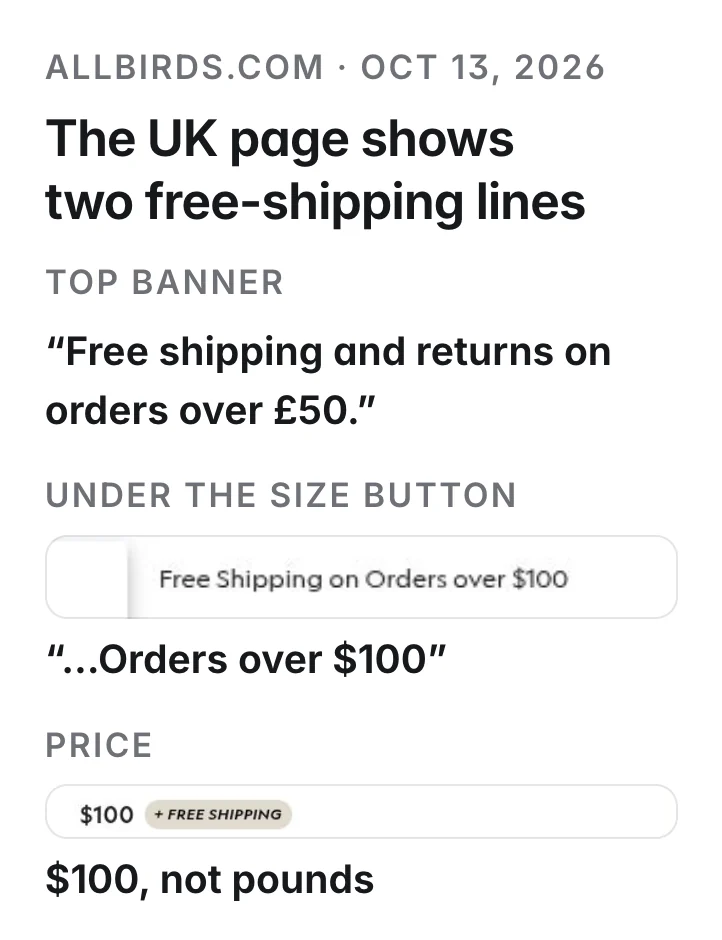
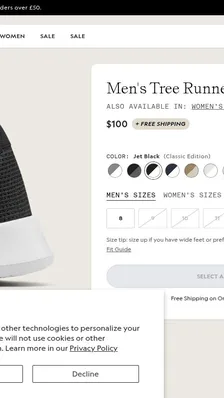
Allbirds' UK page says “Free shipping and returns on orders over £50.” in its top banner and “Free Shipping on Orders over $100” under the size button, beside a $100 price.
Paste a product or home page and pick up to five countries. You get a screenshot of the page from a home internet connection in each country, side by side, so you can see the popups, prices, shipping banners, store pickers and blank pages your shoppers there get.
We sell from the US. Show me how https://www.allbirds.com/products/mens-tree-runners looks to shoppers in the UK, Germany and Brazil, and tell me what differs from the US.
What you get
- A screenshot of the page from a home connection in each country you pick, up to five
- The answer the site gave each visit, so you know which countries got a normal page
- Side by side, so popups, prices, shipping banners and store pickers stand out
- A link with the screenshots that you can share with your team
A real run
Our example run, Oct 13, 2026: the Allbirds Tree Runner page from the US, UK, Germany and Brazil (3 cents a country). The Germany screenshot that day was identical to Oct 10's, so we show it with the Oct 10 date. A separate check on Oct 10 visited the US, UK, Germany and Japan. Allbirds is an example; we are not affiliated.
Allbirds' UK page says “Free shipping and returns on orders over £50.” in its top banner and “Free Shipping on Orders over $100” under the size button, beside a $100 price, on both Oct 10 and Oct 13.
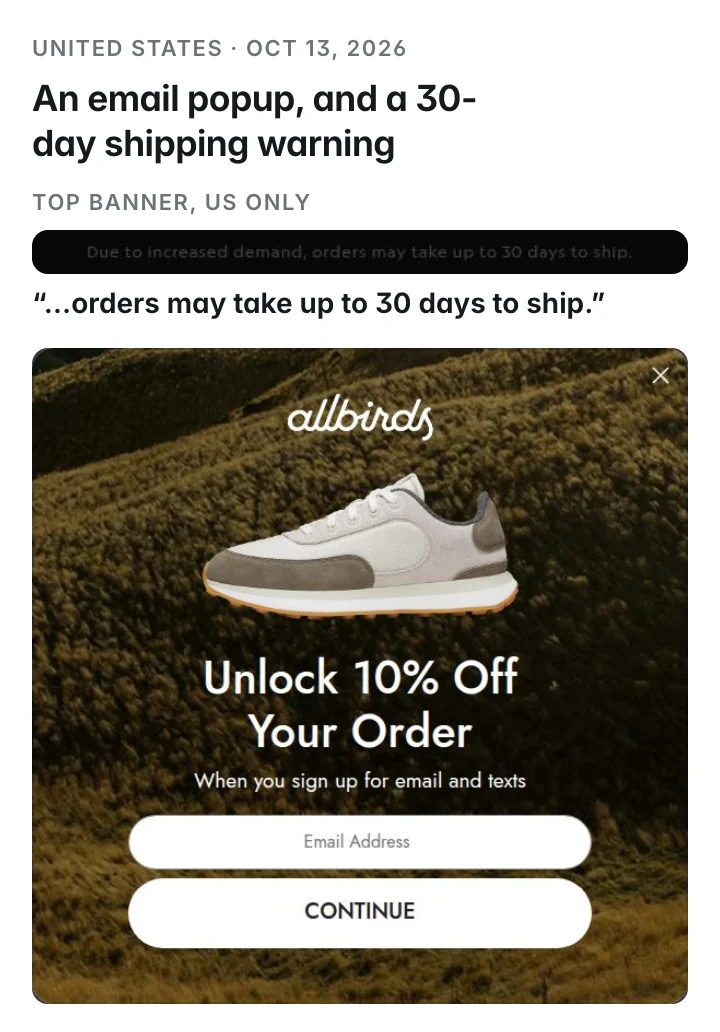
US visitors see “Due to increased demand, orders may take up to 30 days to ship.” in the top bar, and an email popup, “Unlock 10% Off Your Order”, over the product; the other countries see a free-shipping offer in the top bar instead.
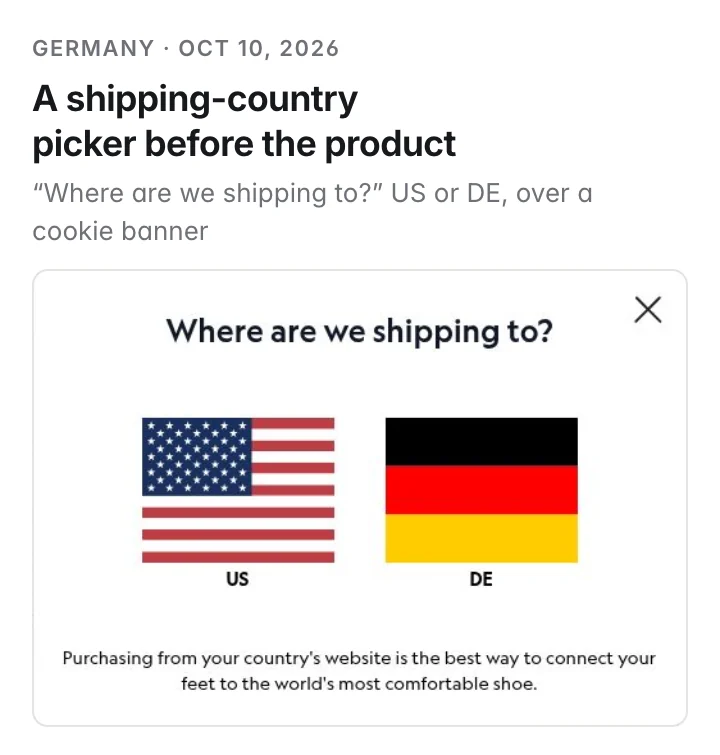
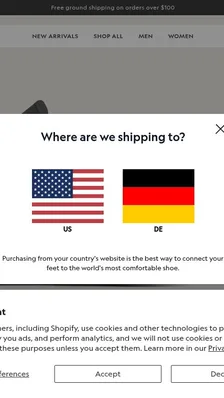
German visitors see “Where are we shipping to?” with a US and a DE choice, stacked over a cookie banner, before the product. The price shows as $100 in the UK and Germany screenshots; in the US one the popup covers it.
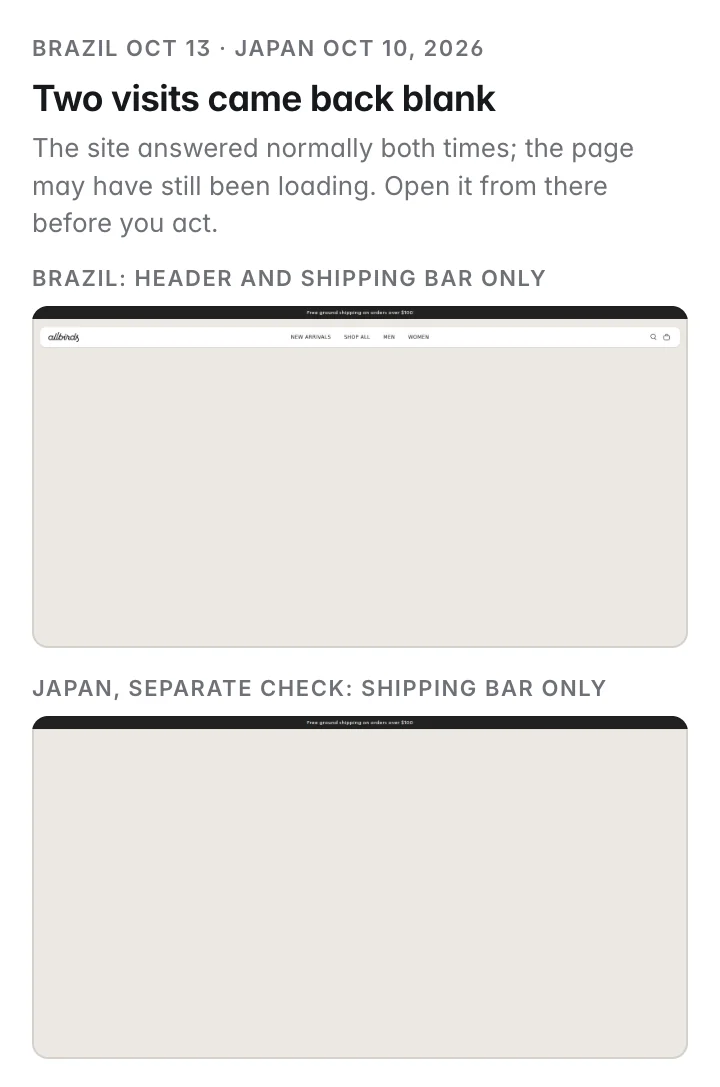
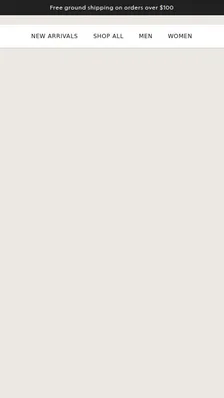
From Brazil (Oct 13) the site answered normally, but the screenshot shows only the header and shipping bar; in a separate check from Japan on Oct 10 it shows only the shipping bar. Either may have still been loading; open the page from there before you act on it.
What you do with it: run it on your own store for the countries you sell to; if a page shows two different free-shipping thresholds or comes back blank, fix that before you buy ads there.
What shoppers saw
The first screen in each country
- UK“Free shipping and returns on orders over £50.” in the top banner, “Free Shipping on Orders over $100” under the size buttonbeside a $100 price and a cookie banner · both days · the page ↗
- DE“Where are we shipping to?” US or DE, before the productstacked over a cookie banner · Oct 10 · the page ↗
- US“Unlock 10% Off Your Order” email popup over the productseen Oct 10 and Oct 13 · the page ↗
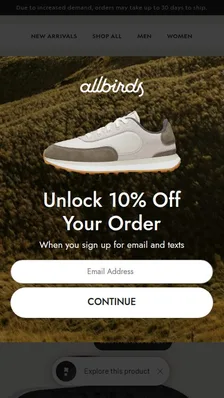
- US“Due to increased demand, orders may take up to 30 days to ship.” in the top barUS only; the other countries see a free-shipping offer there · the page ↗
- JPOnly the shipping bar; the rest of the page came back blankseparate check, Oct 10; the site answered normally and it may have still been loading · the page ↗

- BROnly the header and shipping bar; the page body came back blankthe site answered normally; it may have still been loading · Oct 13 · the page ↗
How it works
Your AI assistant does these steps for you. You pay only for each run; nothing to install or configure.
Visits the page from each country
A real browser opens your page through a home internet connection in each country you pick, so it sees what a local shopper sees.
Takes a screenshot of what loaded
One screenshot of the first screen per country (or the whole page if you ask), with the answer the site gave.
Your AI assistant compares them
It looks at the screenshots side by side and tells you what differs: popups, the currency and price shown, shipping banners, store pickers, cookie notices and blank or blocked pages.
Questions
How is this different from a VPN?
It uses home internet connections in each country, the kind a real shopper has, so sites treat the visit like a local one. You don't install anything; your AI assistant asks for the screenshots.
Does it tell me what's wrong?
It gives you the screenshots and the answer the site sent. Your AI assistant compares them and lists what differs; check anything surprising by opening the page from that country.
Why would a page come back blank?
The site may have blocked the visit, failed to load part of the page, or still been loading when the screenshot was taken. Run it again or ask for the whole page before you act.
What does it cost?
3 cents a country, paid from your balance. A country that fails to load costs nothing. New accounts start with $5 free.
Will the store know?
The store sees one ordinary visit from each country, like any shopper's. It isn't told who asked or why.
How often should I run it?
After a change to your popups, prices, shipping or checkout, and once a month for the countries you sell to.
More marketing use cases
Watch your competitors' email offers
See the discount your competitor emails new subscribers, without using your own inbox.
Get three Facebook and Instagram ad ideas from your competitors' ads
Poppi mentions prebiotics in 20 of the 30 ads Meta shows first; none of those 30 explain it. There is your opening.
Get three TikTok ad ideas from this week's most-liked videos in your niche
Among this week's most-liked protein snack videos on TikTok, the 14 how-to videos got saved six times as often as the other 7.
For developers · tools, inputs and run IDs behind this example
{
  "tool": "mrscraper.geo-screenshot",
  "input": {
    "url": "https://www.allbirds.com/products/mens-tree-runners",
    "country": "gb",
    "full_page": false
  }
}
Run it from code or any agent: recipe, script and skill file ↗
Run IDs: run_Fj6tBlkkZCJk4w, run_7nQrbHkhp7Fpdg, run_3D4VC1S_nkf27A, run_FoBm7lKsyH2Jdg, share 9CSkwRnN (Oct 13 example run) · observed charge $0.24